
How To
Searching for Equipment
January 30, 2024
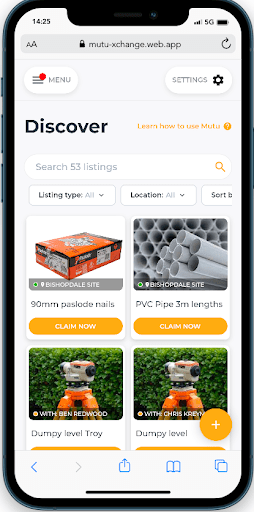
Discover Screen
Bookable Equipment can be found on the Discover Screen.
Equipment Register
All equipment and assets can be found on the Equipment Register. Different lights indicate the status of an item.
| Green light means the item is available |
| Yellow light means the item is booked out |
| Red light means the item is out of service |
Filtering
You can filter by Item Type (equipment or vehicle), location and Item Manager.

If the ‘Currently With’ column on the right is populated, it means that the item is booked out or permanently assigned to someone.
You can tell something is permanently assigned by the green pin: 
Downloading Asset Register
You can download you equipment register by clicking Equipment/vehicles > Download CSV on the right hand side of the screen.
You can contact the Mutu support team at any time via support@mutu.freshdesk.com