
Mutu Connect is now live
September 22, 2026
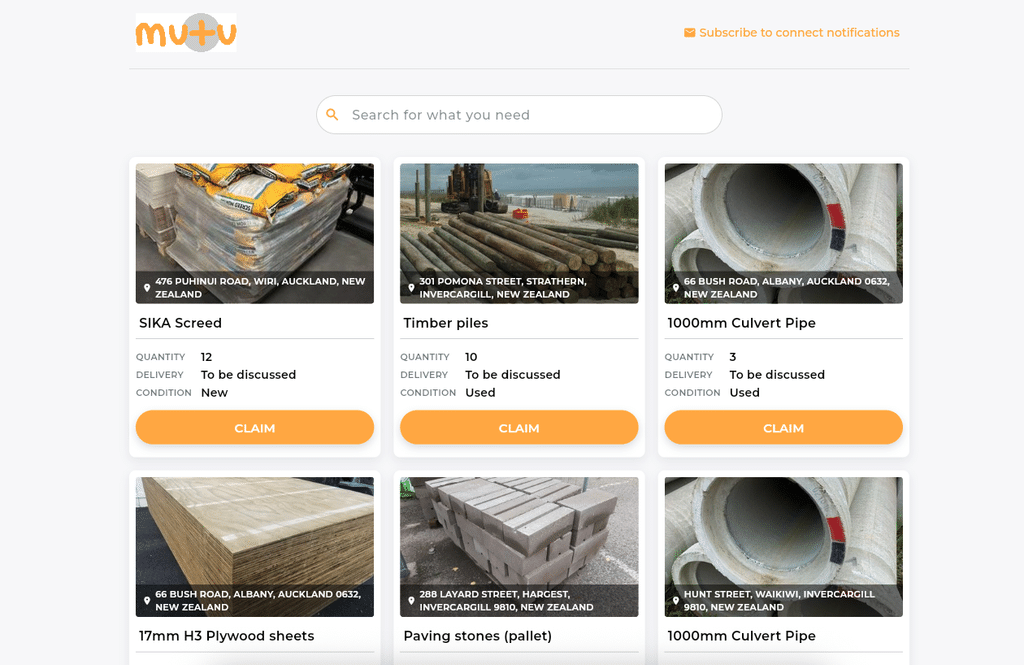
The Mutu Donations portal, Mutu Connect, is now live for all businesses using Mutu, giving them another option for repurposing surplus materials across their projects. One of the most common questions we get is “Can I share these surplus resources with an external business?” Mutu actually supported this in the past, but we moved away from it for three main reasons:
Logistics: Coordinating collections between businesses was difficult, particularly on active sites where access and health and safety need to be managed.
Cost: Items were often listed at inflated values, resulting in little engagement. Even when businesses connected, supplier setup, invoices and purchase orders added enough administration that transactions often fell over.
Liability: Engineers and QSs were reluctant to introduce materials from external businesses when they did not know where they had come from, or how they had been stored and transported.
However, we also found that many of our customers already have trusted relationships with external organisations and are successfully repurposing surplus materials through them. This became the basis for Mutu Connect.
How does it work?
Users can mark any item listed on Mutu as available for Donation. These items are displayed on a company specific Mutu Connect page which can be shared with external organisations using a unique URL and password.
External organisations can browse available items and submit a claim request. The business using Mutu can then accept or decline the request and, if accepted, the two parties are connected to organise the transfer.
Mutu Connect is not a public marketplace. Businesses control who can access their listings and Mutu does not manage any financial transactions. Items are assumed to be donated at no cost.
This approach offers several benefits to businesses using Mutu:
- They get a new option for repurposing surplus items.
- They control who can see and place requests for items.
- Any transactions completed through Mutu Connect are captured in Mutu and included in our sustainability reporting.
How to access Mutu Connect
- Log into your Mutu Account and click on Settings -> Organisation Details up in the top right corner.
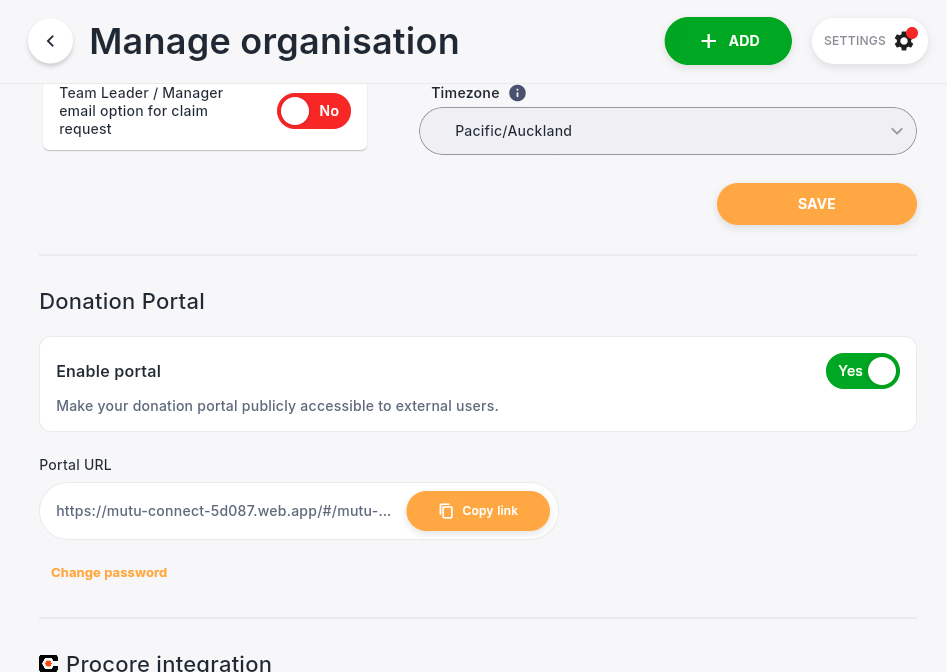
- Scroll down to Mutu Connect – Donations Portal and click the switch to “Enable”
- Enter your unique URL and Password. You can share these details with the external organisations you want to view and claim your tagged surplus resources
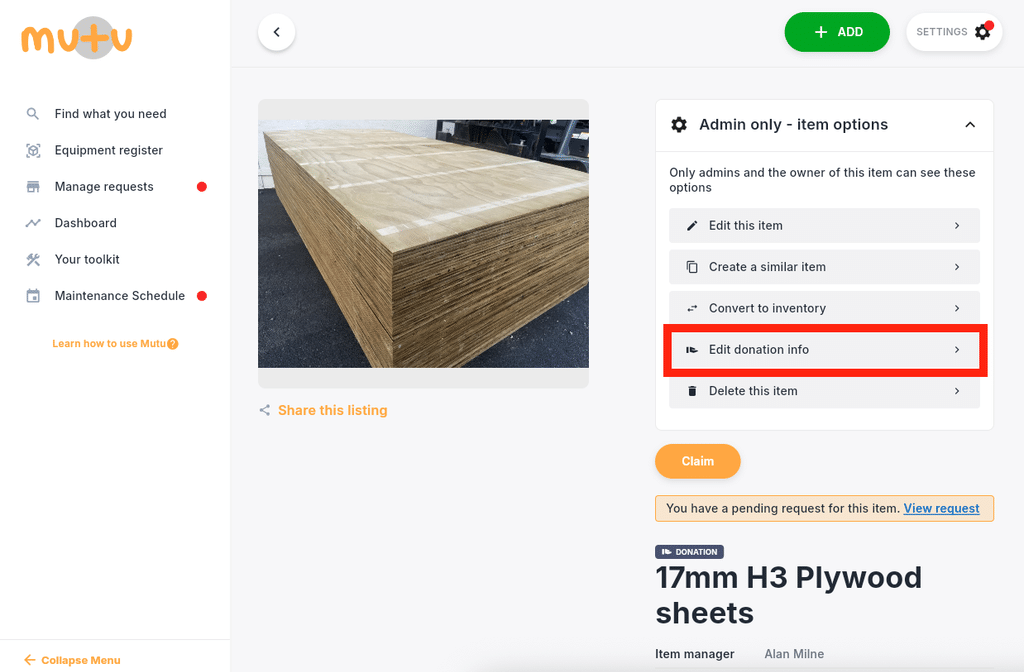
- To tag an item for Donation, simply navigate to it on the Find What You Need page. Under “Admin only – item options” you will now see an option “Donate this item”
- Select the appropriate Delivery and Condition options and then click “List for Donation”
Frequently asked questions
Is Mutu Connect a public marketplace?
No. Each business controls access to its own Mutu Connect page using a unique URL and password shared with selected external organisations.
How does an organisation request a donated item?
An organisation with access can browse available items and submit a claim request. The business donating the item can accept or decline it. If accepted, the parties are connected to arrange the transfer.
Does Mutu Connect handle payments?
No. Items are assumed to be donated at no cost, and Mutu does not manage financial transactions through Mutu Connect.
Are completed donations included in Mutu reporting?
Yes. Transactions completed through Mutu Connect are captured in Mutu and included in its sustainability reporting.