
Introducing Mutu Fleet: Smarter Vehicle Management with Automatic NZTA Integration
October 14, 2026
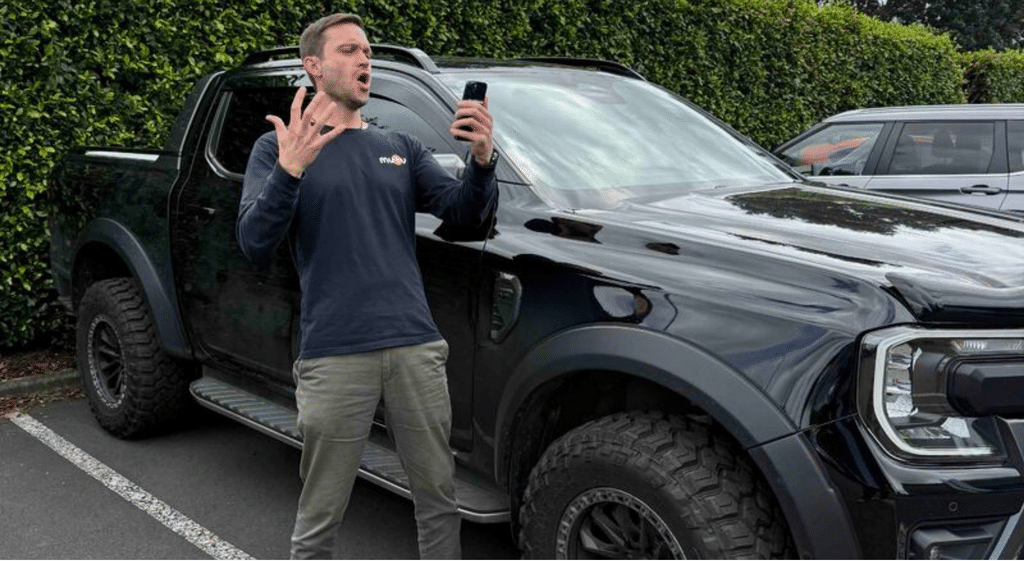
Managing your company vehicles just got a whole lot easier.
Keeping track of vehicle registrations, WOFs, Road User Charges (RUC) and regular safety checks can be a headache, especially when your vehicles are spread across multiple sites and teams.
That's why we're excited to introduce the latest upgrades to Mutu Fleet, including our new NZTA integration that takes the manual work out of managing your company vehicles.
Simply enter a vehicle's registration plate and Mutu does the rest. From automatically retrieving vehicle details and compliance dates to reminding your team to complete vehicle checks, everything is managed in one easy-to-use app.
Here's how it works.
1. Add Any Vehicle in Seconds with Our NZTA Integration
Forget manually entering vehicle information into spreadsheets or fleet registers.
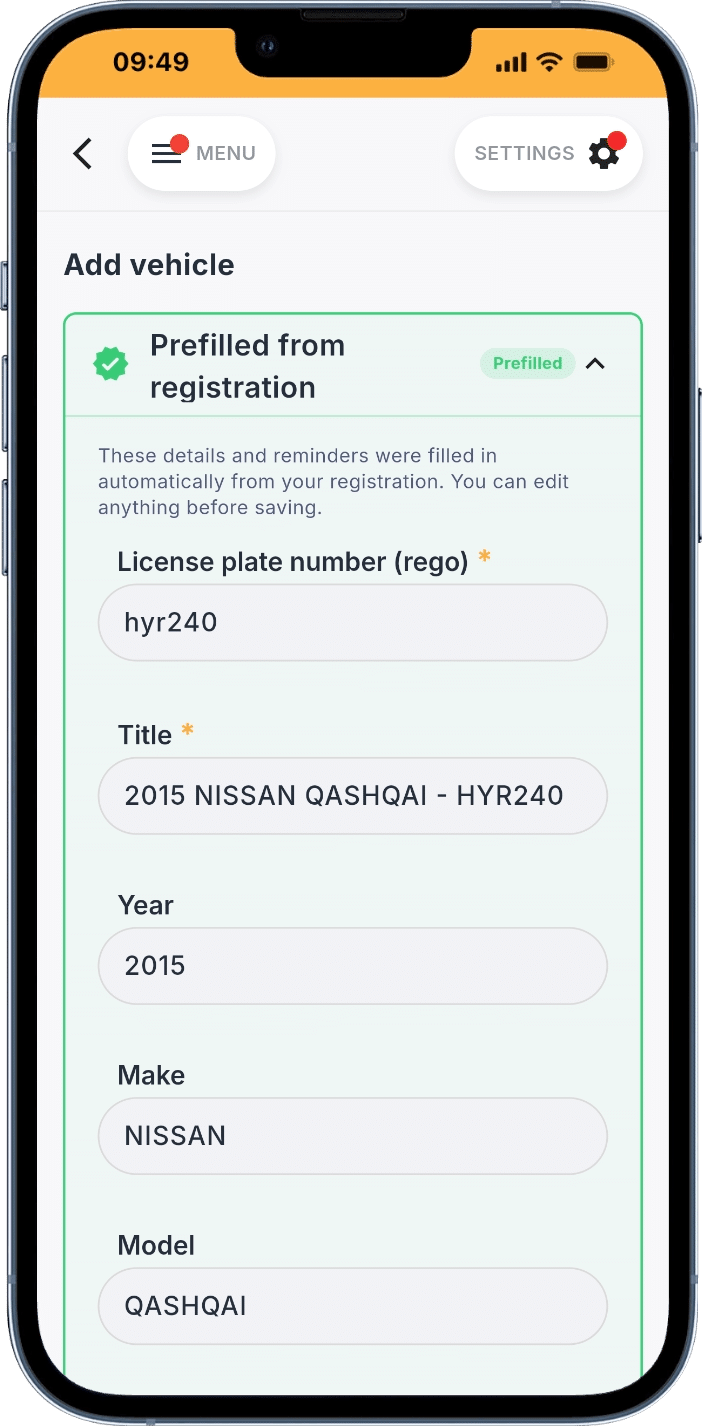
With Mutu's new integration with the New Zealand Transport Agency (NZTA), all you need to do is enter your vehicle's registration plate.
Mutu automatically retrieves key vehicle information, including:
- Make, model and year
- Vehicle colour
- Warrant of Fitness (WOF) expiry date
- Vehicle registration expiry date
All this information is automatically added to your digital fleet register, giving your business a central place to manage its vehicles.
Whether you're managing five company utes or a fleet of 100 vehicles across multiple construction sites, getting started couldn't be easier.
2. Never Forget a WOF or Rego Again
Keeping company vehicles compliant shouldn't rely on someone remembering to check a spreadsheet or calendar.
When you add a vehicle, Mutu automatically identifies its WOF and registration expiry dates and creates reminders for your team.
This means:
- Automatic WOF reminders: Know when each vehicle's Warrant of Fitness is coming due.
- Automatic registration reminders: Stay on top of vehicle licensing renewals.
- Centralised fleet visibility: See important vehicle information in one place without chasing paperwork.
No more manually entering expiry dates or setting calendar reminders. Mutu takes care of the admin so your team can focus on getting the job done.
3. Track Diesel Vehicle Mileage and Road User Charges
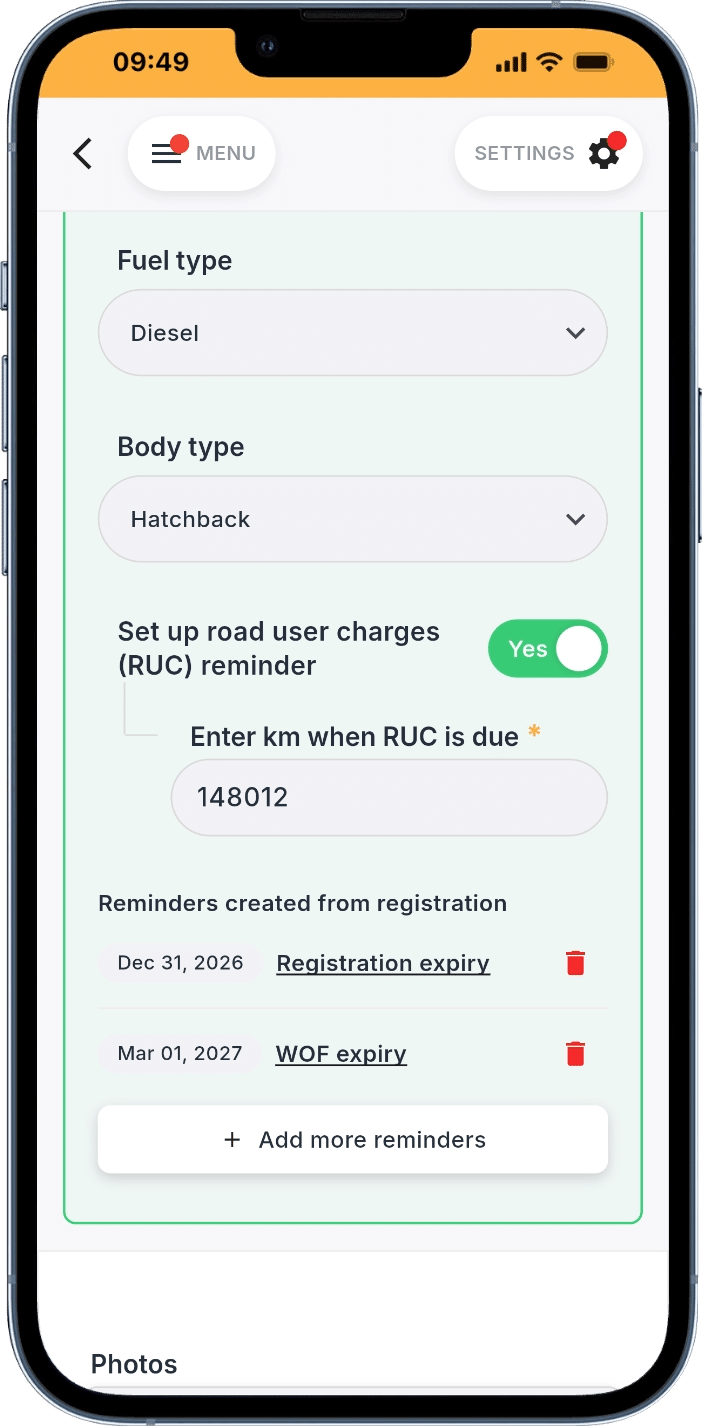
If your business operates diesel vehicles in New Zealand, keeping track of mileage is particularly important for managing Road User Charges (RUC).
Mutu makes this easy with digital vehicle check-ins.
Simply set a schedule for check-ins for your vehicles and Mutu will automatically send push notifications to the relevant team members, prompting them to enter their latest odometer reading.
These readings are recorded against each vehicle, allowing your business to:
- Track vehicle mileage over time
- Monitor odometer readings against RUC requirements
- Identify when additional Road User Charges may be needed
- Keep a record of vehicle usage without manually chasing drivers
Best of all, your staff don't need to remember to open the app. Mutu reminds them when it's time to complete a check-in.
4. Make Vehicle Safety Checks Part of Your Team's Routine
Knowing your vehicles are roadworthy involves more than keeping their WOFs up to date.
With Mutu, you can add vehicle safety inspections to your scheduled check-ins, making it easy for staff to report on the condition of their vehicles directly from their phones.
You can ask your team to check things like:
- Tyres and tyre condition
- Lights and indicators
- Mirrors and visibility
- General vehicle condition
- Any faults or damage requiring attention
Staff simply complete the digital checklist when prompted, and Mutu stores their responses against the vehicle.
This creates a historical record of vehicle checks that managers can refer back to whenever needed.
It's a simple way to encourage regular vehicle inspections, improve accountability and help identify potential issues before they become bigger problems.
5. Scheduled Push Notifications Mean Your Team Never Has to Remember
One of the biggest challenges with fleet management software is getting staff to actually use it.
That's why we've designed Mutu Fleet to fit around the way your team already works.
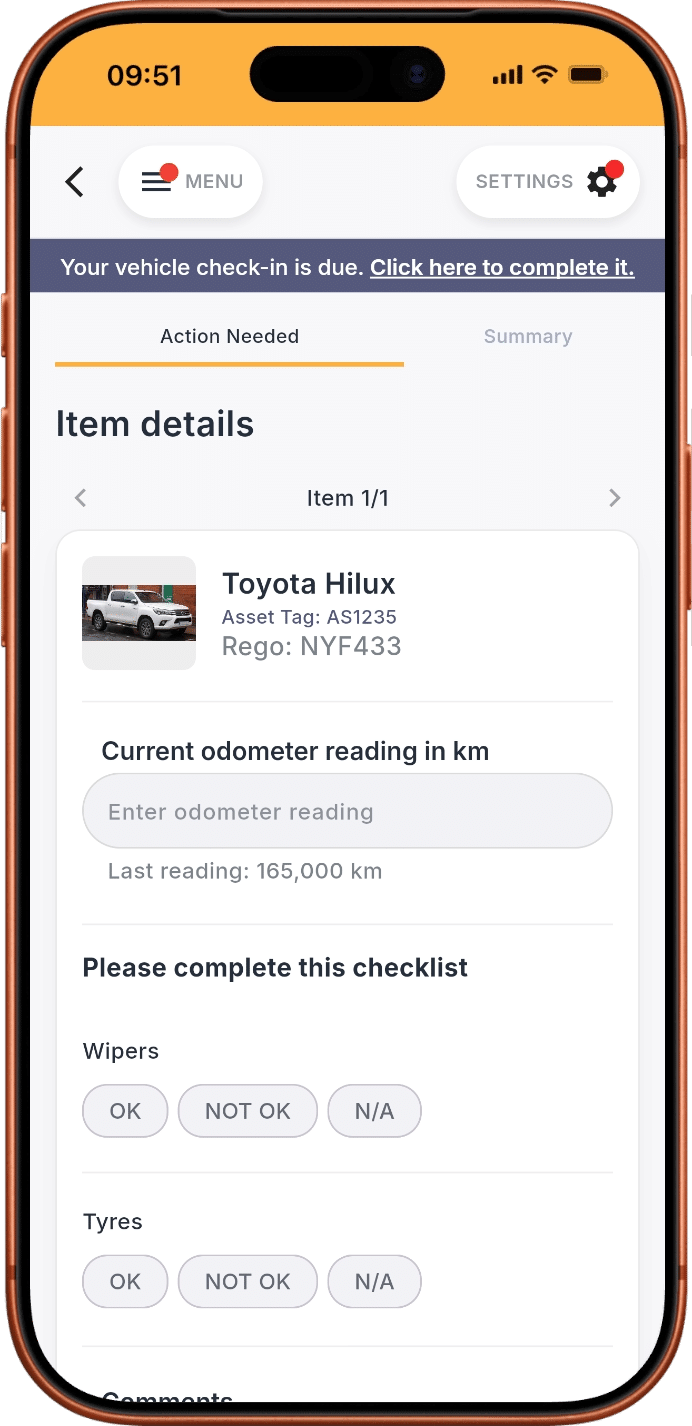
Instead of relying on drivers to remember to log in, Mutu sends scheduled push notifications directly to their phones when a vehicle check-in is required.
Your staff can then:
- Tap the notification on their phone.
- Enter their current odometer reading.
- Complete any required vehicle safety checks.
- Submit their responses.
That's it!
Mutu automatically records the information, creating a centralised history of vehicle mileage and condition that your business can access whenever needed.
Less paperwork, less chasing staff and better visibility across your fleet.
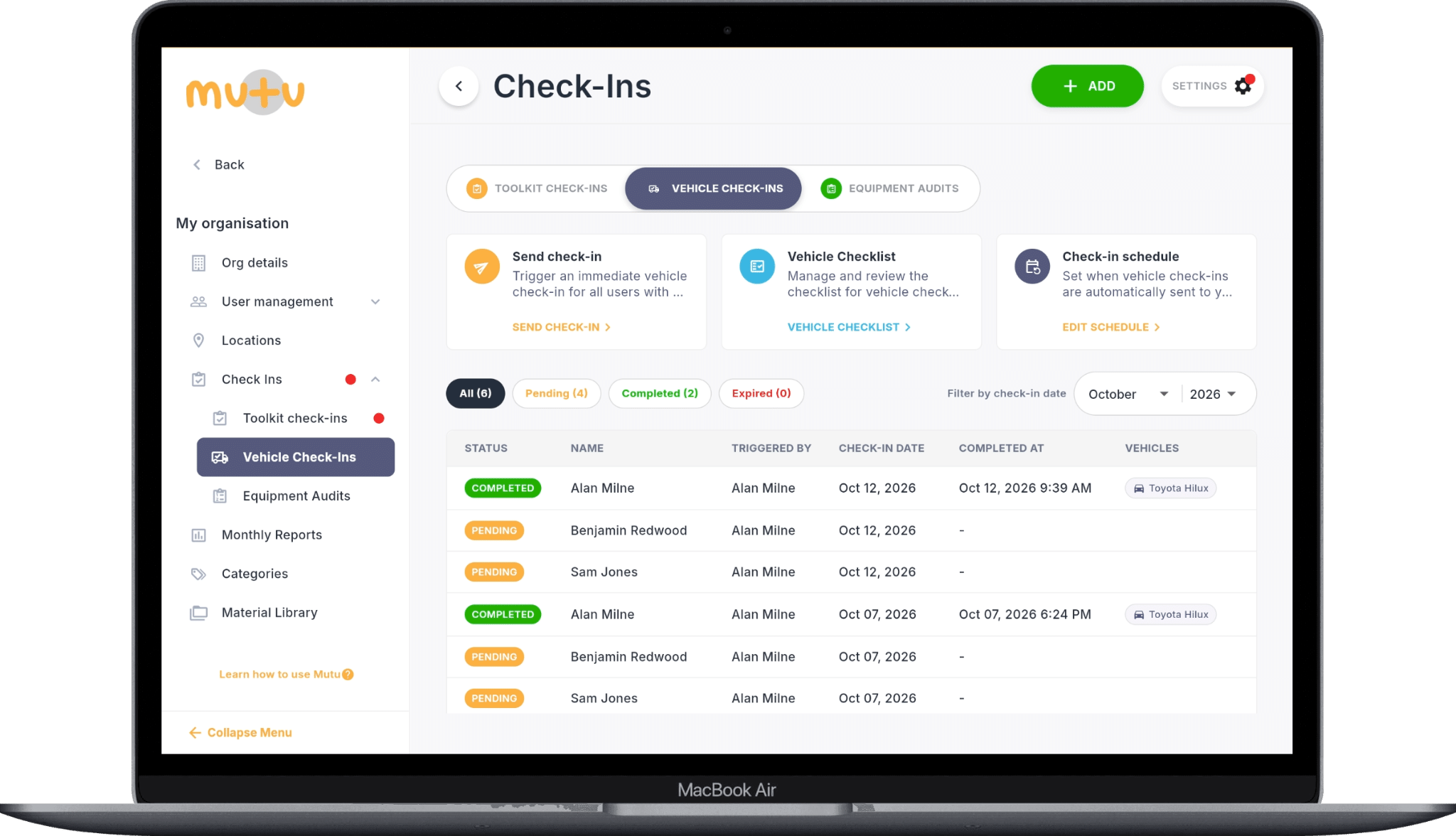
One App to Manage Your Entire Fleet
Mutu Fleet brings together vehicle information, compliance reminders, mileage tracking and safety check-ins in one simple platform.
And because Mutu is built for construction and civil contractors, you can also see where vehicles are allocated across your business, manage availability and keep track of your fleet alongside your tools, plant, equipment and materials.
Whether you're a small building company or a large contractor managing vehicles across dozens of sites, Mutu helps you spend less time on administration and more time running your business.
Ready to Take the Admin Out of Fleet Management?
Getting started is as simple as entering your first vehicle registration plate.
Let Mutu automatically retrieve your vehicle information, set up compliance reminders and keep your team on top of regular vehicle checks.
Explore Mutu Fleet or Book a Demo to see how it works for your business.
Frequently asked questions
What vehicle details does Mutu Fleet retrieve from NZTA?
Enter a vehicle registration plate and Mutu retrieves available vehicle details, including the make, model, year, colour, WOF expiry and registration expiry, to prefill the fleet record.
Can Mutu Fleet help track Road User Charges?
Yes. Scheduled vehicle check-ins prompt drivers to submit odometer readings. Managers can review those readings against RUC requirements and identify when additional Road User Charges may be needed.
How do staff complete vehicle safety checks?
Staff receive a scheduled push notification, enter the current odometer reading and complete any required safety checklist on their phone. Mutu records the responses against the vehicle.
Can vehicles be managed alongside tools and equipment?
Yes. Mutu Fleet sits within the same platform as tools, plant, equipment and materials, giving teams a shared place to manage resources across sites.